
Orange Button Office
Every firestop project in one place.
Office turns a clash list into a firestop design. Choose the manufacturers you work with and get an approved solution for every opening, on the plan, ready for quotation and for site.
Certified solutions, proposed
Each clash is matched to tested systems from your preferred manufacturers.
One place for the team
Projects, clash lists, documents and photos, shared with everyone who needs them.
Connected to site
What you approve in Office is what the installer sees in Field.
Try it
Click through Office
1 / 3
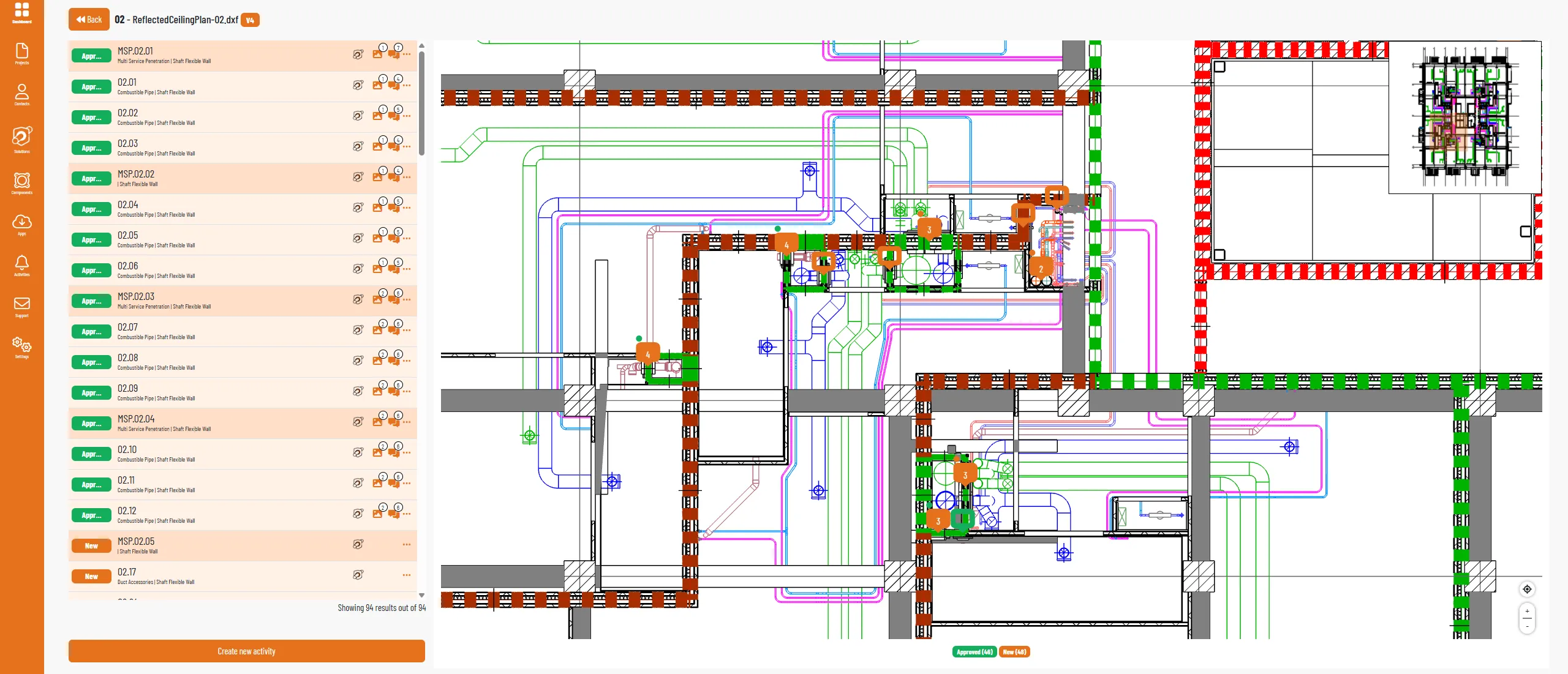
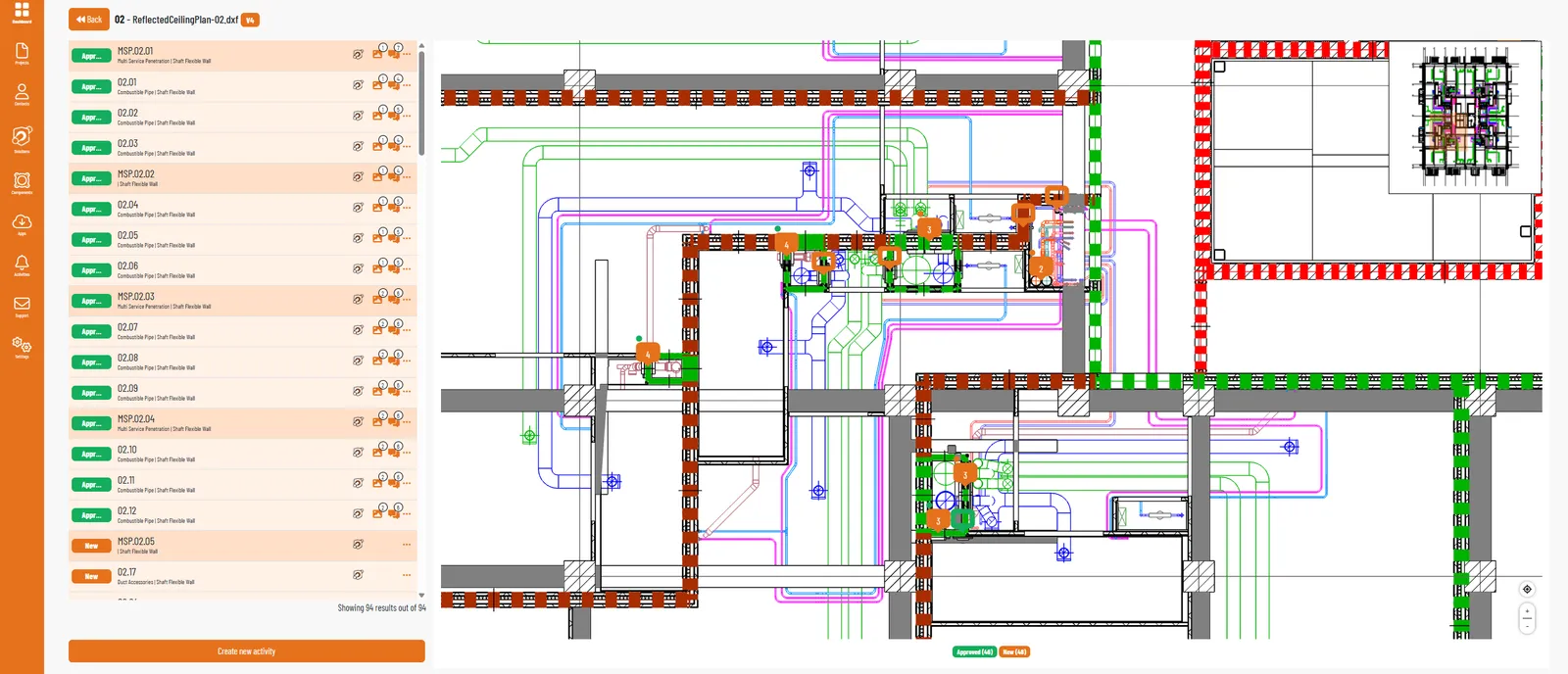
Clashes on the floor plan
Every clash from the model, plotted on the 2D plan with its status. The activity list sits right beside it.
Tap the orange dot, or press Next.
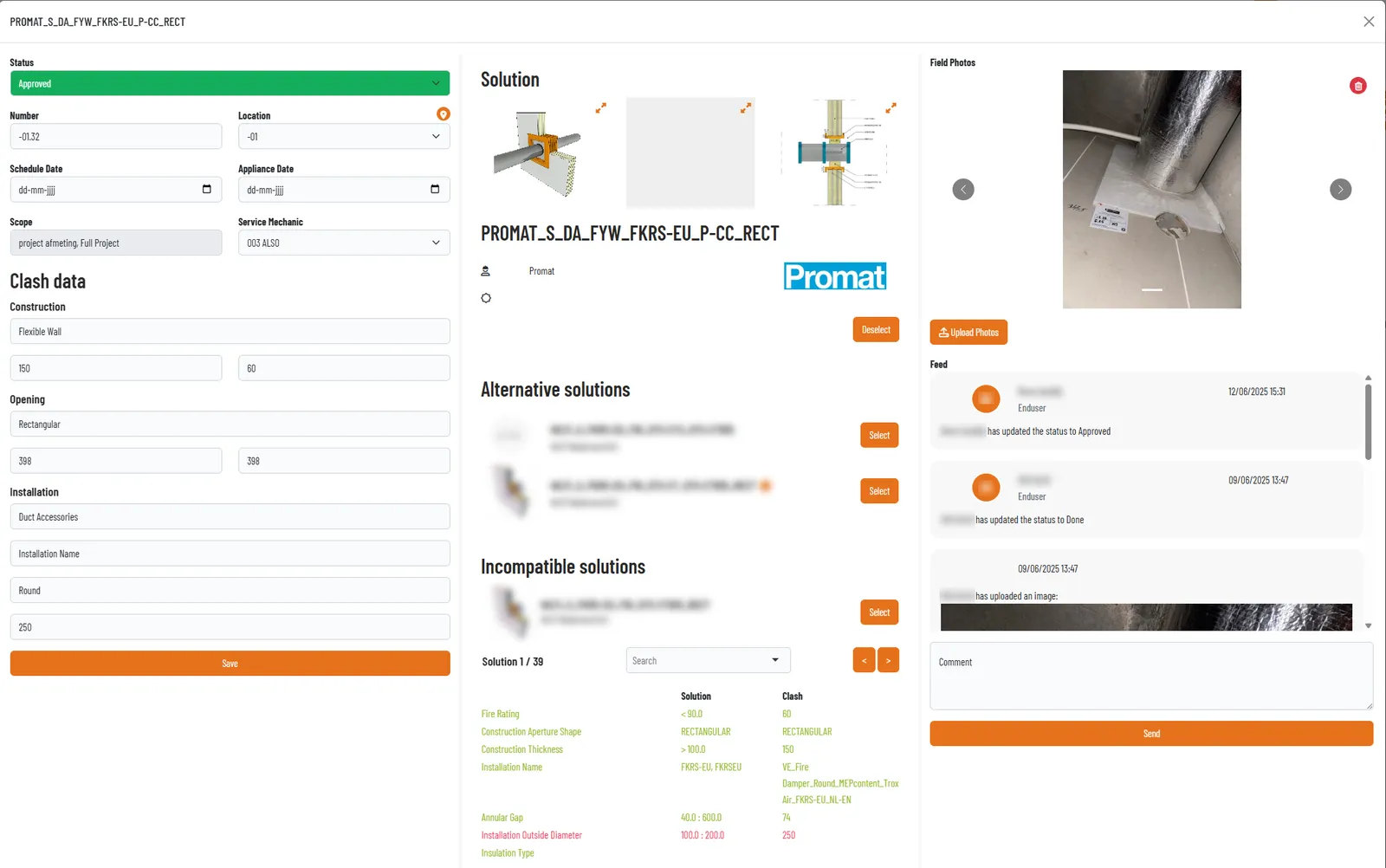
The right solution, explained
Office proposes the certified solution, here from Promat, and shows the alternatives, the solutions that do not fit and why, plus the photos from site.
Tap the orange dot, or press Next.
Approved, and visible on site
Change the status to approved. The installer sees it in Orange Button Field straight away.
Everything in Office
- 01
Solutions
All manufacturer-specific firestop solutions on the platform. Choose your preferred manufacturers and systems.
- 02
Projects
Every project from checklist and quotation to engineering, construction and maintenance.
- 03
Clash lists
Upload multiple clash lists per project, each with penetration type, dimensions, insulation, construction and fire resistance.
- 04
Floor plans
Digital floor plans per project, created from a clash list, with every opening pinned.
- 05
Field activities
Plan and follow the work on site, activity by activity.
- 06
Images and documents
Site photos, certificates and project documents, kept with the clash they belong to.
Questions
Where does the clash list come from?
From Orange Button BIM, either the Web Edition or the Revit Edition. Each clash carries the information needed to advise a firestop system automatically.
Which manufacturers are available?
Office includes the manufacturers that have joined the platform. Missing your favourite? Let us know and we will get in touch with them.
Can I work with my whole team?
Yes. The Office License is per user, so you can invite everyone who works on your projects.