









Questa pagina non è ancora tradotta. Stai vedendo la versione inglese.

Clash. Quote. Design.

Firestop design automation, from BIM to field.

Orange Button finds every penetration through a fire-rated wall or floor, matches it to a tested, certified solution and carries that design all the way to site.

Free up to 200 firestop clashes.

Plays from YouTube once you press play.

Partners & clients

The problem

Firestop systems are engineered. On site, they're often improvised.

What it costs

  • Failed inspections
  • Rework and demolition
  • Quotes that miss the mark
  • Liability when barriers fail

A tested system only works when the wall is built right, the services are supported, and every opening is the right size and far enough from the next. Leave firestop to the end of the project and those conditions are rarely met.

  1. Drywall assembly

    The wall isn't built the way the tested system assumes.

  2. Installation supports

    Services pass through without the support the certificate requires.

  3. Opening size

    Openings are too large, too small or the wrong shape.

  4. Distance between openings

    Penetrations sit closer together than any test allows.

Customer story

Compact Brandpreventie moved from spreadsheets and manual take-offs to design-based calculation in Orange Button, and now prepares its firestop quotes straight from the BIM model.

Compact BrandpreventieFirestop specialist, the Netherlands

90%faster quote preparation
How it works

From model to sealed opening. One workflow.

  1. 01Checklist

    Check the model

    Upload your BIM files. Orange Button flags missing fire ratings, thicknesses and materials before you rely on them.

    Orange Button BIM
  2. 02Quotation

    Find every clash

    Every service through a fire-rated wall or floor, located, counted and listed. Quote on facts, not estimates.

    Orange Button BIM
  3. 03Engineering

    Design with certified systems

    Each clash is matched to tested solutions from the manufacturers you choose, multi-service penetrations included.

    Orange Button Office
  4. 04Construction

    Install and prove it

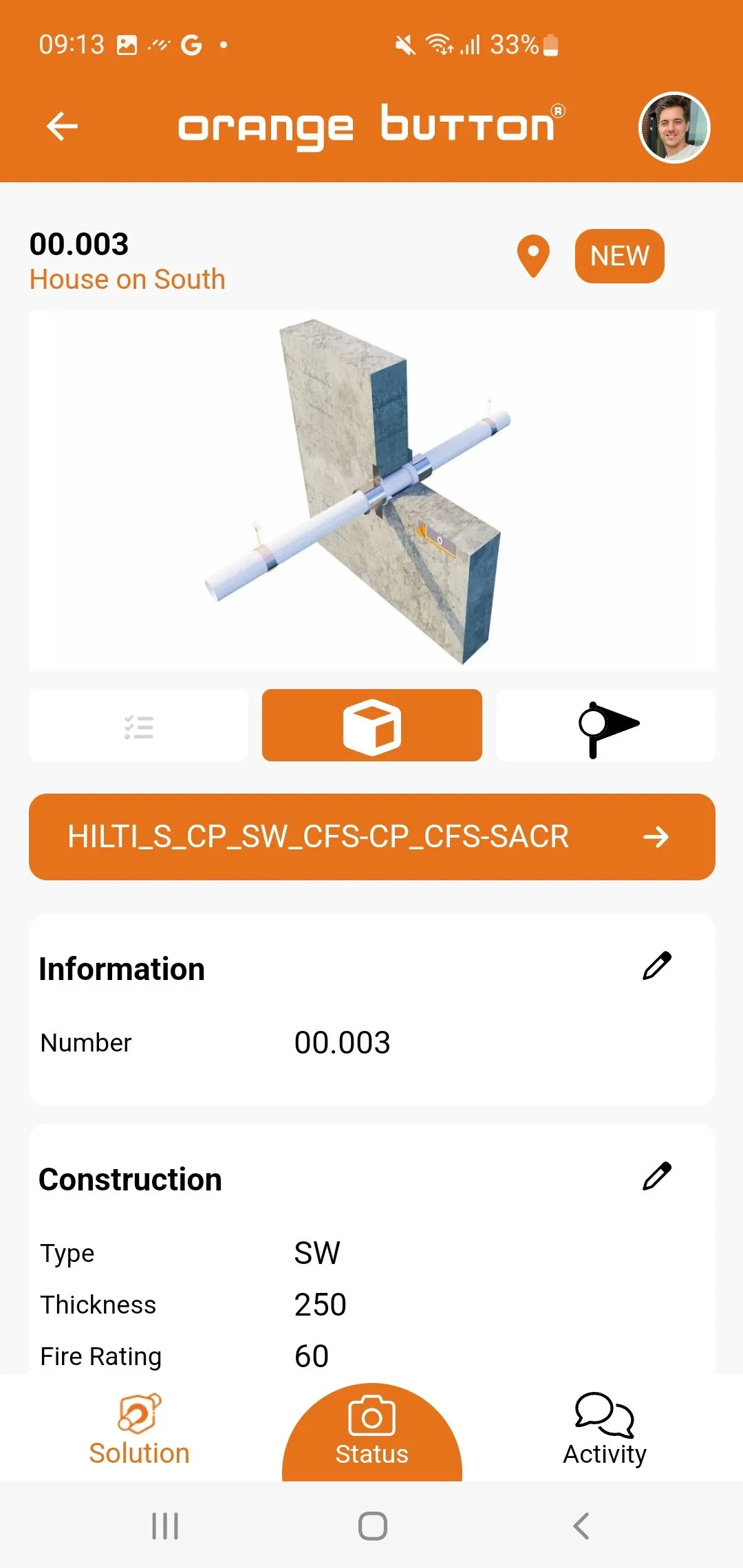
    The approved design goes to site. Installers document every seal with status and photos.

    Orange Button Field

The platform

From BIM to field.

Orange Button BIM

Clash detection built for firestop.

Run data checks, detect firestop clashes and insert certified solutions straight into Autodesk Revit. Or do it in the browser with the Web Edition, no Revit required.

  • Revit plugin and Web Edition
  • OneClick apps for numbering, apertures, MSPs and BatchLink
  • Clash lists ready for quotation
Learn more →
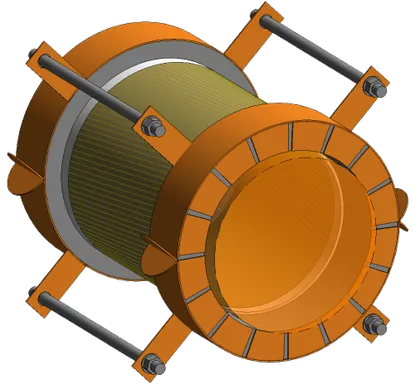
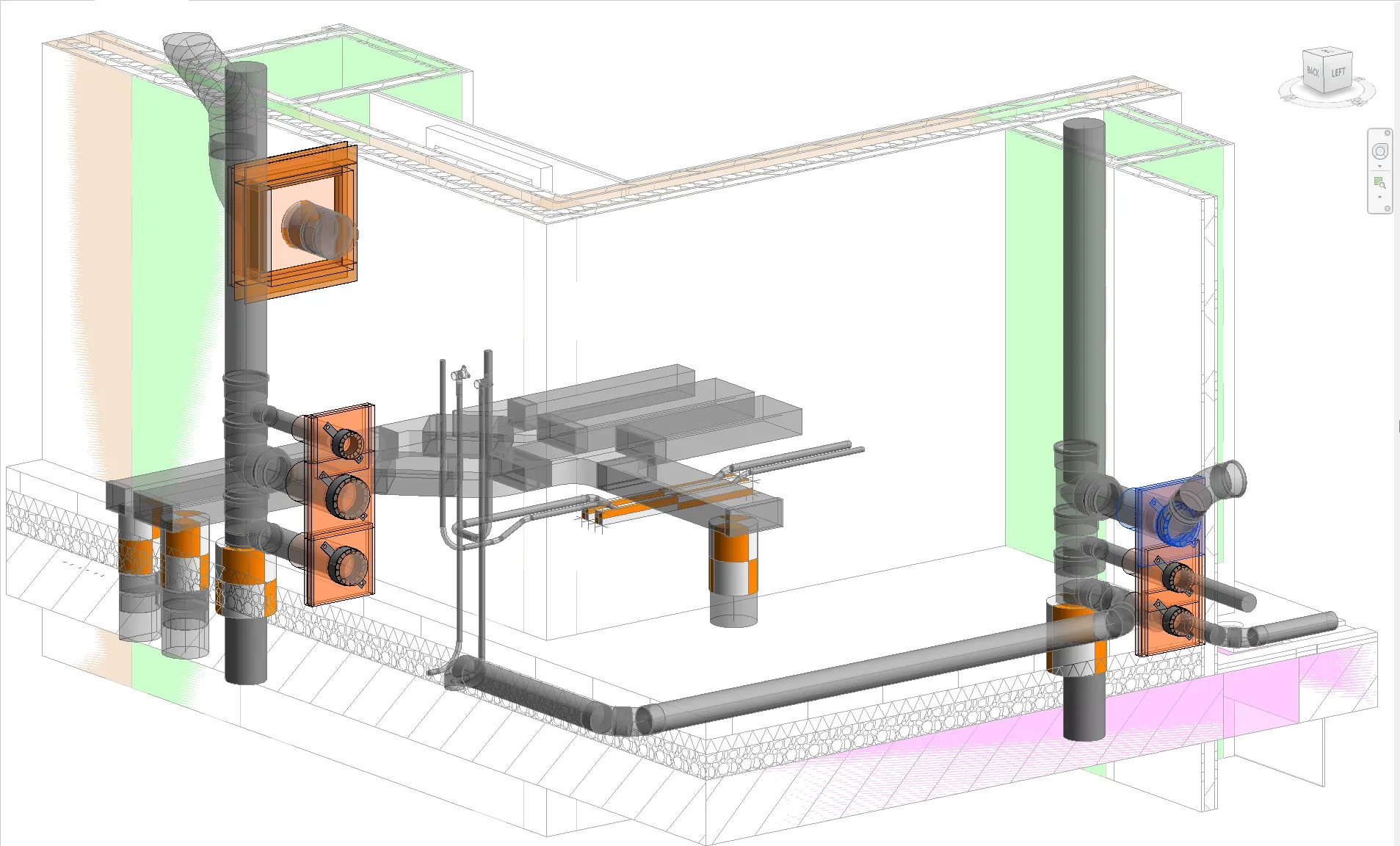
Firestop seals placed on pipes and ducts in a Revit 3D view

Orange Button Office

Every firestop project in one place.

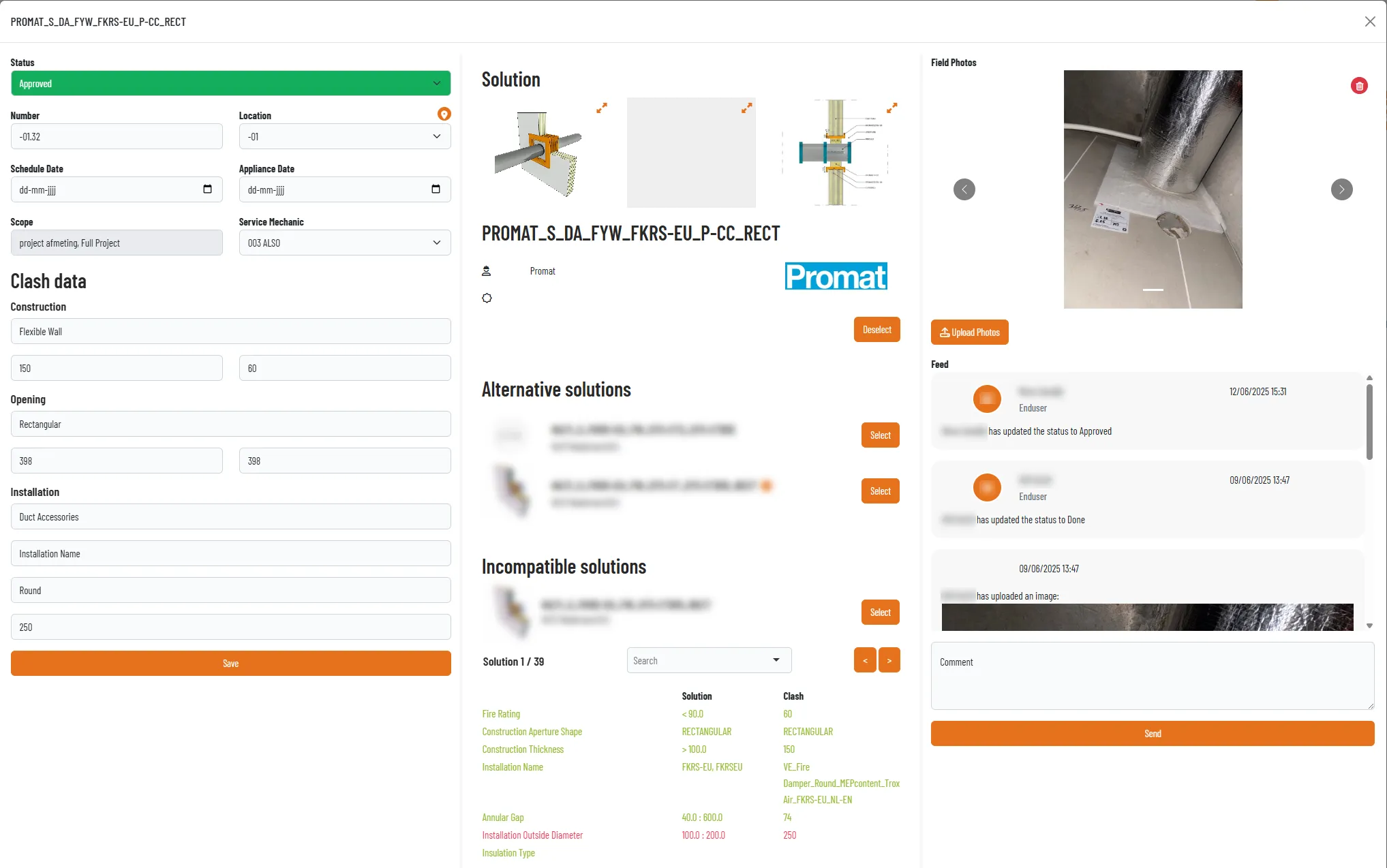
Upload clash lists, pick your preferred manufacturers and let Office propose approved solutions for every opening, with alternatives and the reason others don't fit.

  • Certified solution selection
  • Floor plans with live status
  • Projects, documents and team collaboration
Learn more →
A firestop clash in Orange Button Office with the selected Promat solution and field photos

Orange Button Field

From design intent to proof on site.

Installers see exactly what goes where. They log progress, take photos and flag deviations, and you get a complete, traceable record of every seal.

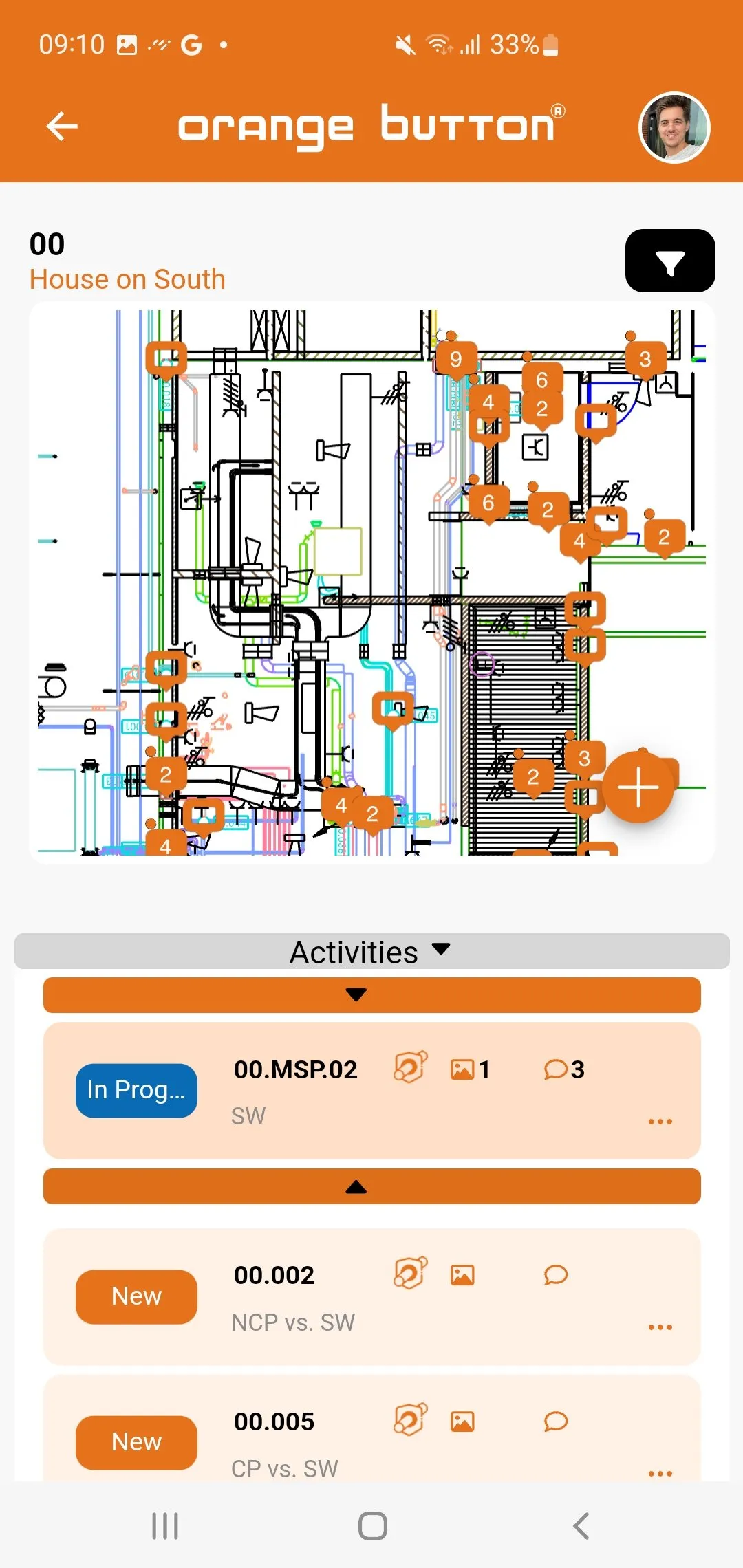
  • Floor plans with every clash pinned
  • Photos, comments and notifications
  • Handover documentation
Learn more →
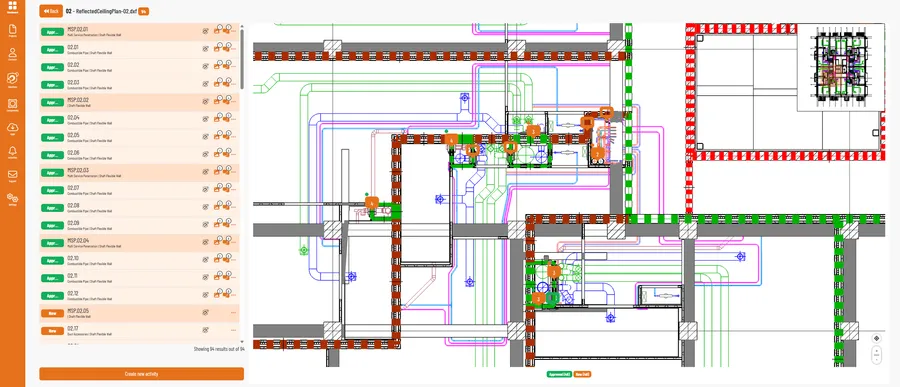
The Orange Button Field app showing a floor plan with numbered firestop locations

Features

Built for the details that fail inspections.

  • 01

    Firestop clash detection

    Locate every service that passes through a fire-rated wall or floor.

  • 02

    Data checks

    Find missing fire ratings, thicknesses and materials early.

  • 03

    Certified solution selection

    Only tested configurations from the manufacturers you choose.

  • 04

    Multi-service penetrations

    Combine services into one opening, designed to tested rules.

  • 05

    Compliance Checker

    Automatic distance checks between openings, installations and MSPs.

  • 06

    Floor plans

    Clashes plotted on 2D plans for the office and for site.

  • 07

    OneClick apps

    Numbering, apertures and BatchLink in a single click inside Revit.

  • 08

    Field documentation

    Status, photos and comments for every individual seal.

  • 09

    Reports and exports

    Clash lists, quotations and handover files, generated for you.

Who it's for

One platform, three ways in.

Manufacturers

“It rarely starts with a big failure. It starts with a phone call from site.”

Put your certified systems into the design process, so they are specified and installed as tested, and see how they are used.

For manufacturers

Firestop specialists

Quote faster, design right the first time and hand over with proof.

Start free

BIM design service

Send us your models. Our engineers deliver the complete firestop design.

Contact us

Pricing

Pay for what you clash.

Start free. Then pay per clash for BIM and per user for Office and Field.

  • Freemium

    Try the clash engine on a real project.

    0 €
    0 €

    Up to 200 firestop clashes

    Start free
  • Office License

    Projects, clash lists, solutions and floor plans for your team.

    79,50 €per user / month
    52,47 €per user / month

    Invite your whole team

    Book a demo
  • Field License

    Track, document and validate installed work on site.

    39,50 €per user / month
    26,07 €per user / month

    Mobile app for site teams

    Book a demo

Prices excl. VAT.

Push the button.

Find your first firestop clashes today, free up to 200.