
Orange Button Field
From design intent to proof on site.
Field puts the approved firestop design in the installer’s hand. Every opening on the plan, the certified solution to install, and a record of what was done.
The right system, every time
Installers see the approved, tested solution for each opening before they start.
Progress you can see
Status per seal and per floor, live for the office and the site team.
Proof for handover
Photos, comments and approvals build a traceable record of every seal.
Try it
Click through the Field app
1 / 6
Open the project on site
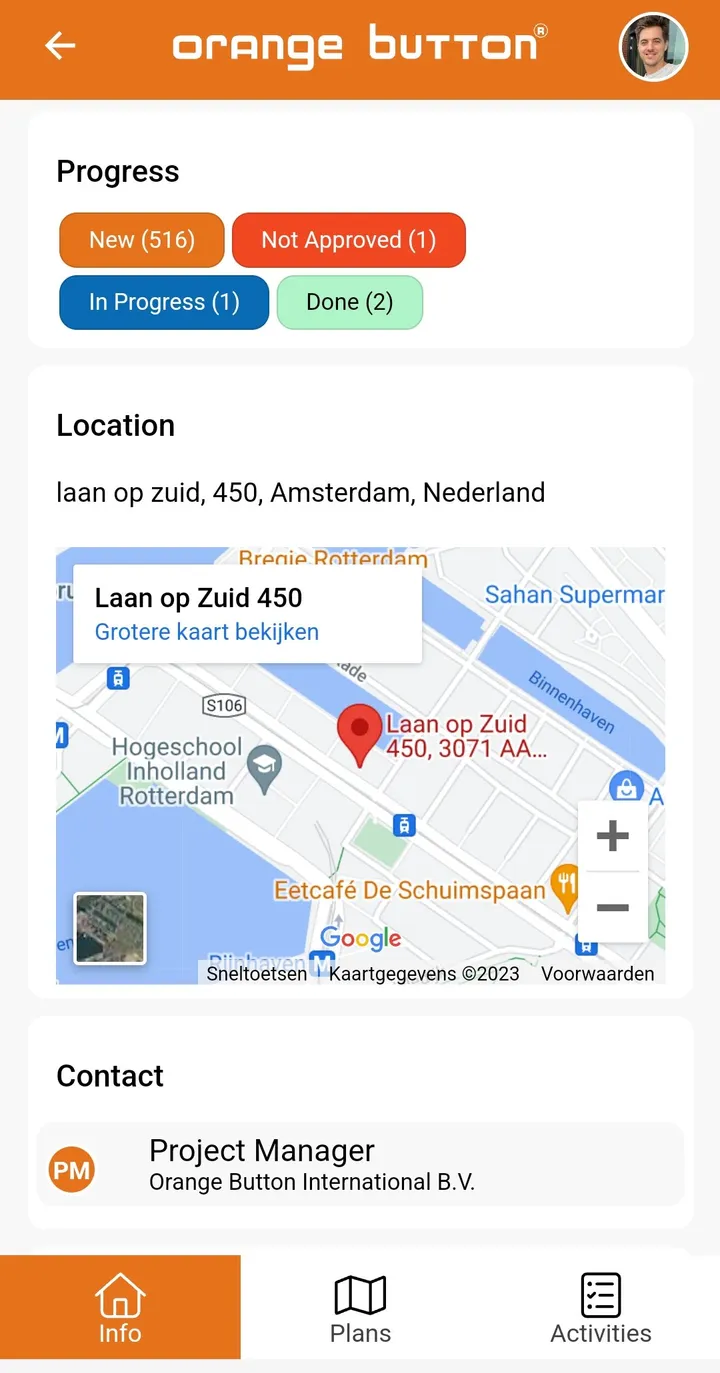
Progress per status, the site address and your contact at the office, as soon as you open a project.
Tap the orange dot, or press Next.
Choose a floor
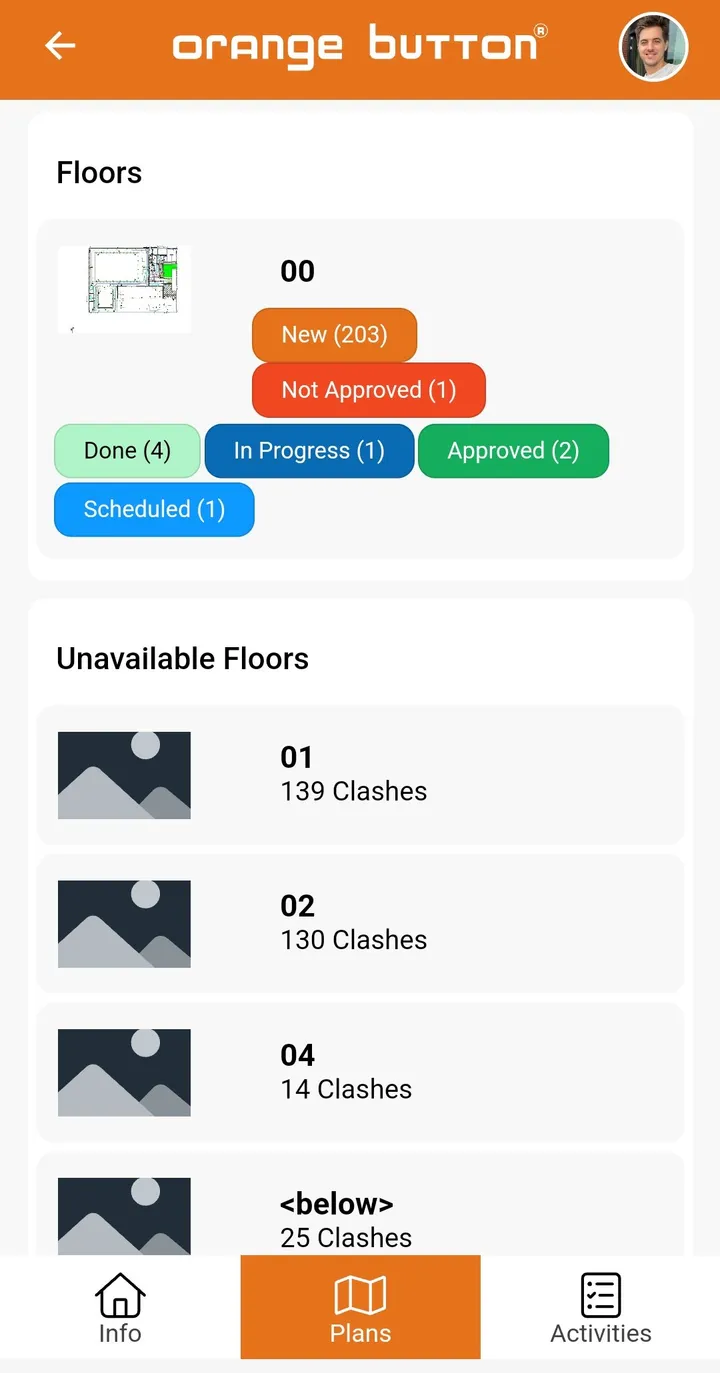
Each floor shows how many firestop locations it has and where they stand.
Tap the orange dot, or press Next.
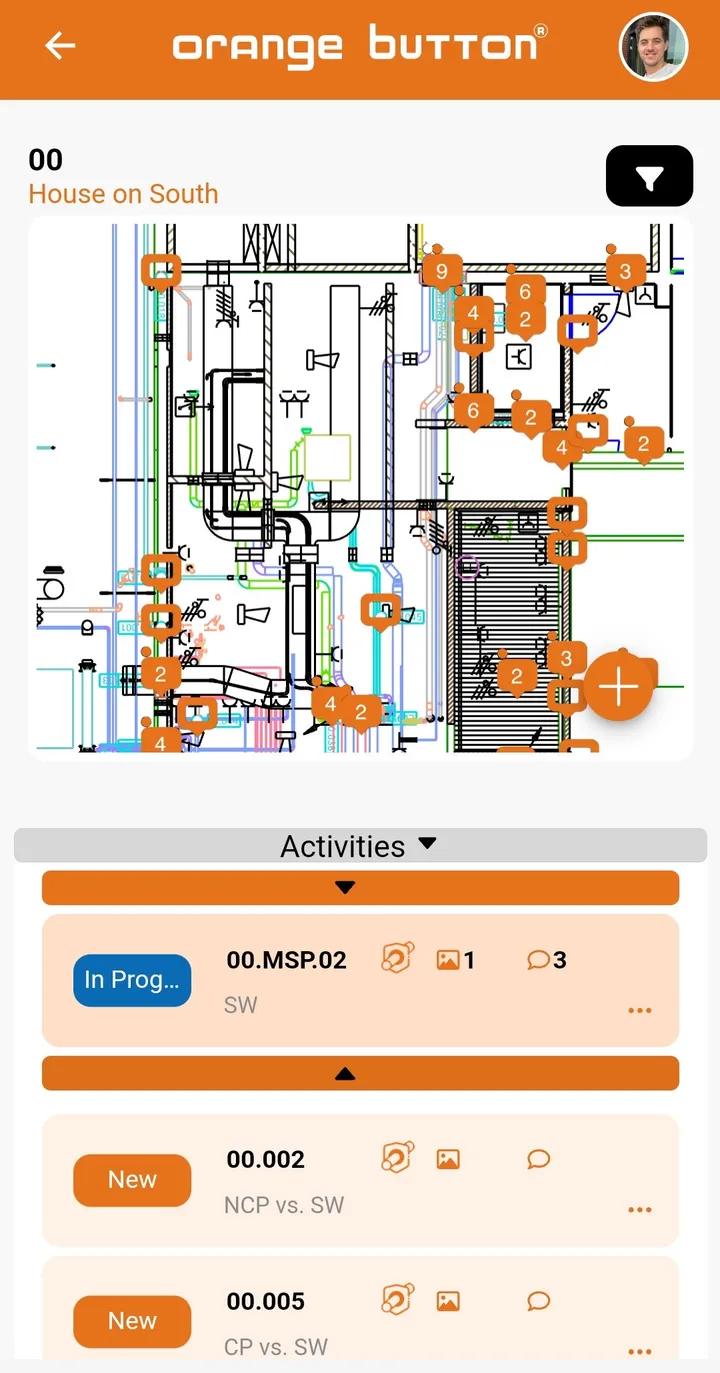
Every opening, pinned
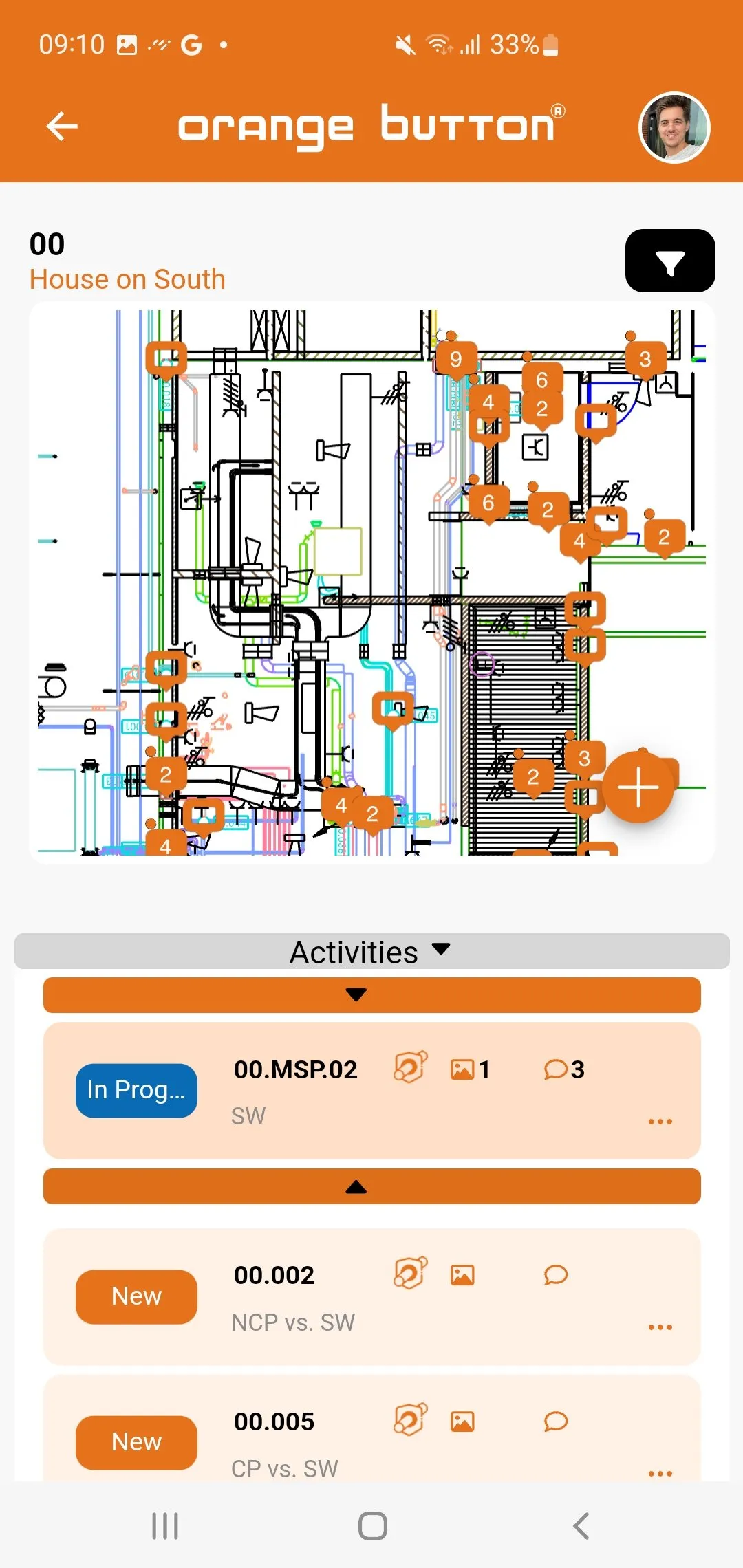
Numbered pins on the floor plan, with the list of activities underneath. Tap one to open it.
Tap the orange dot, or press Next.
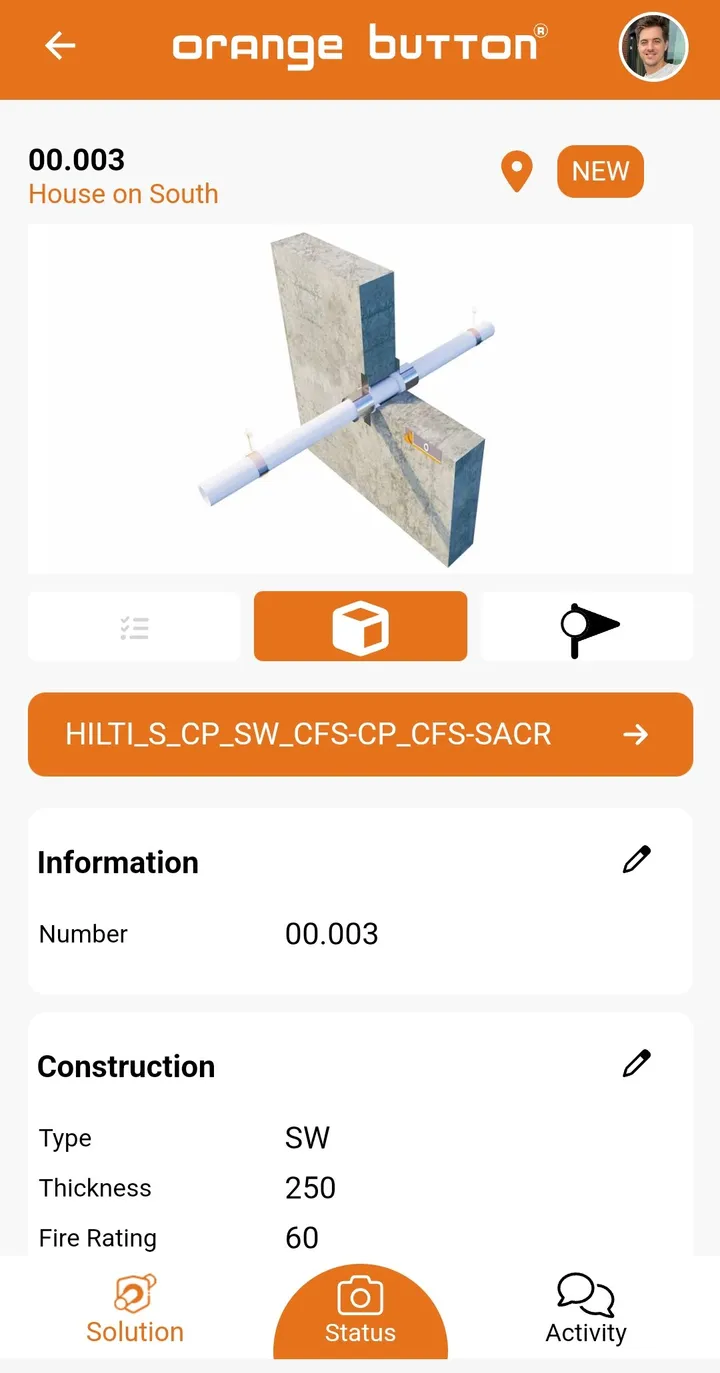
See exactly what to install
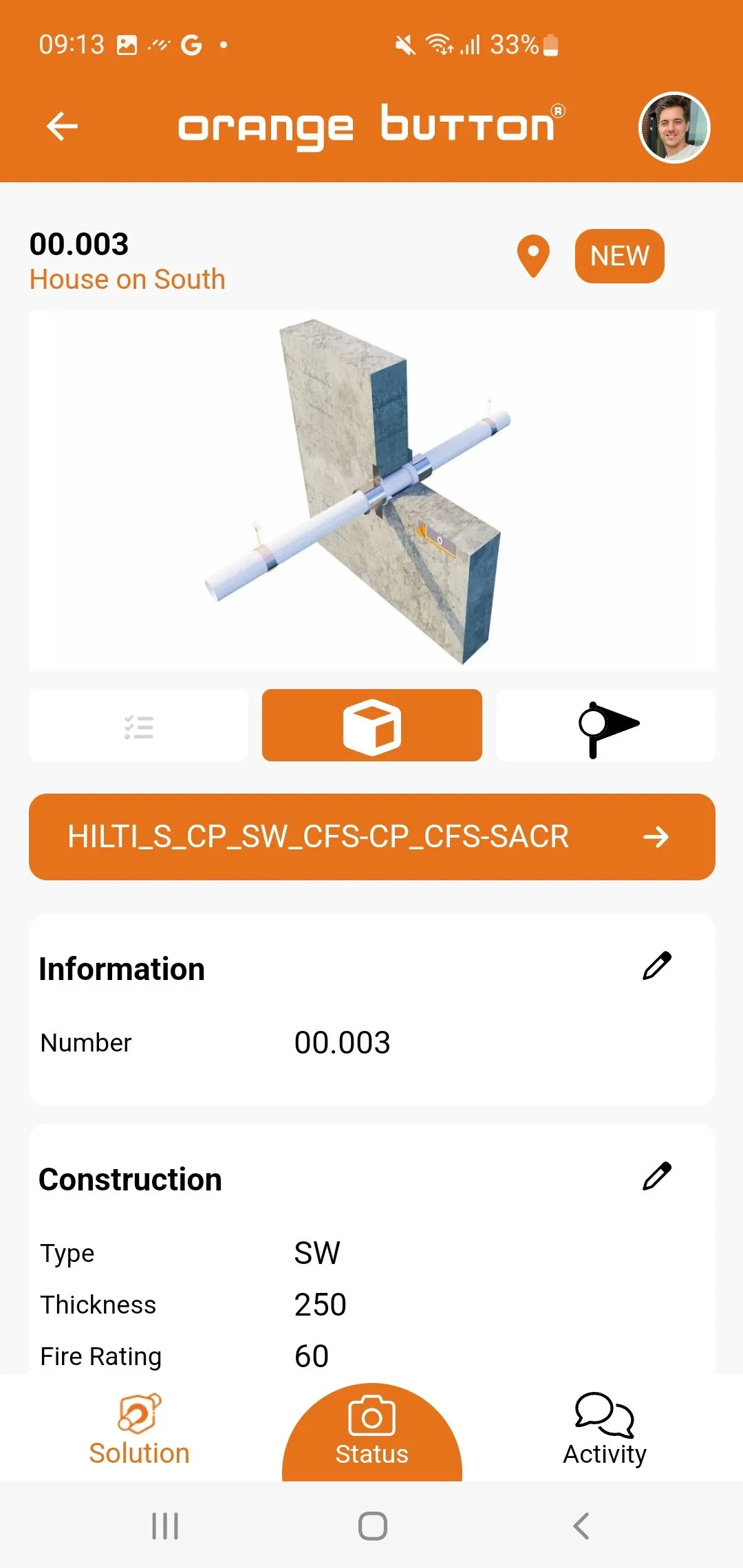
The approved, certified solution with a 3D detail, and the construction type, thickness and fire rating.
Tap the orange dot, or press Next.
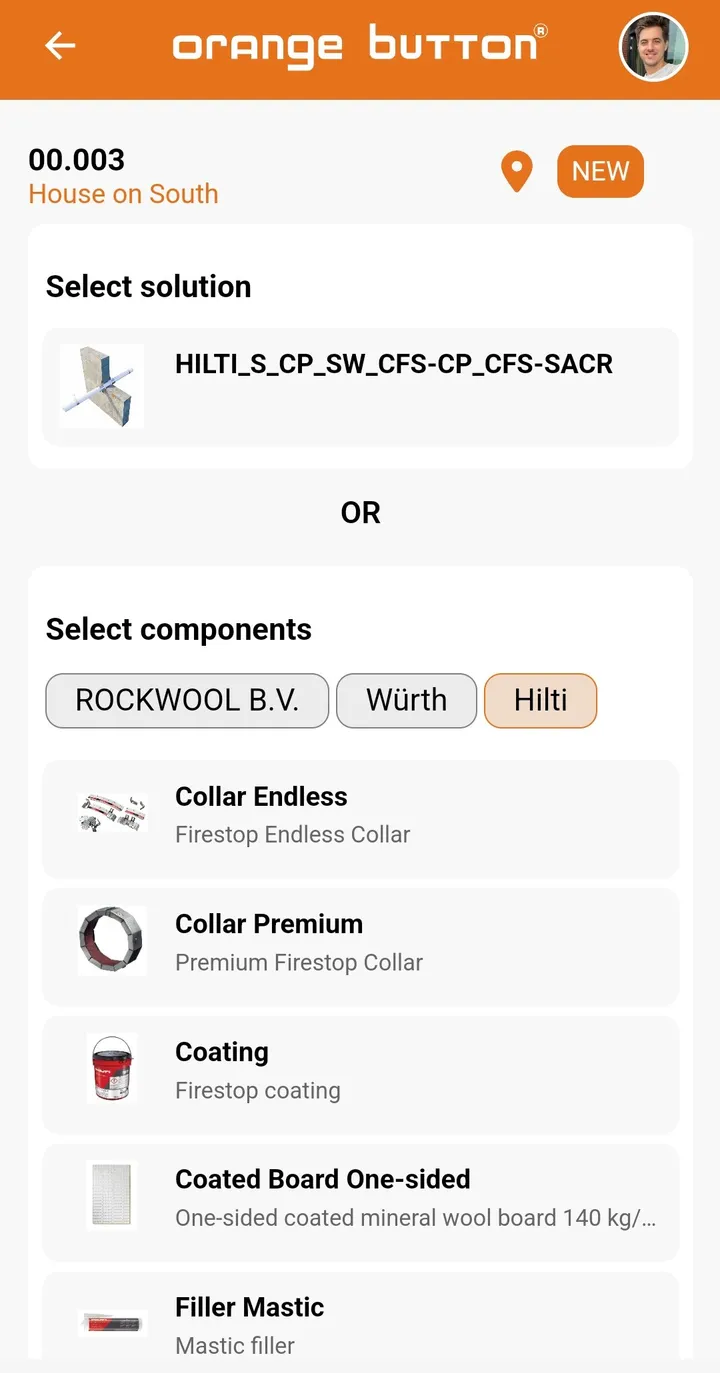
Pick the product on site
Install the complete system, or choose its components from the manufacturer you work with.
Tap the orange dot, or press Next.
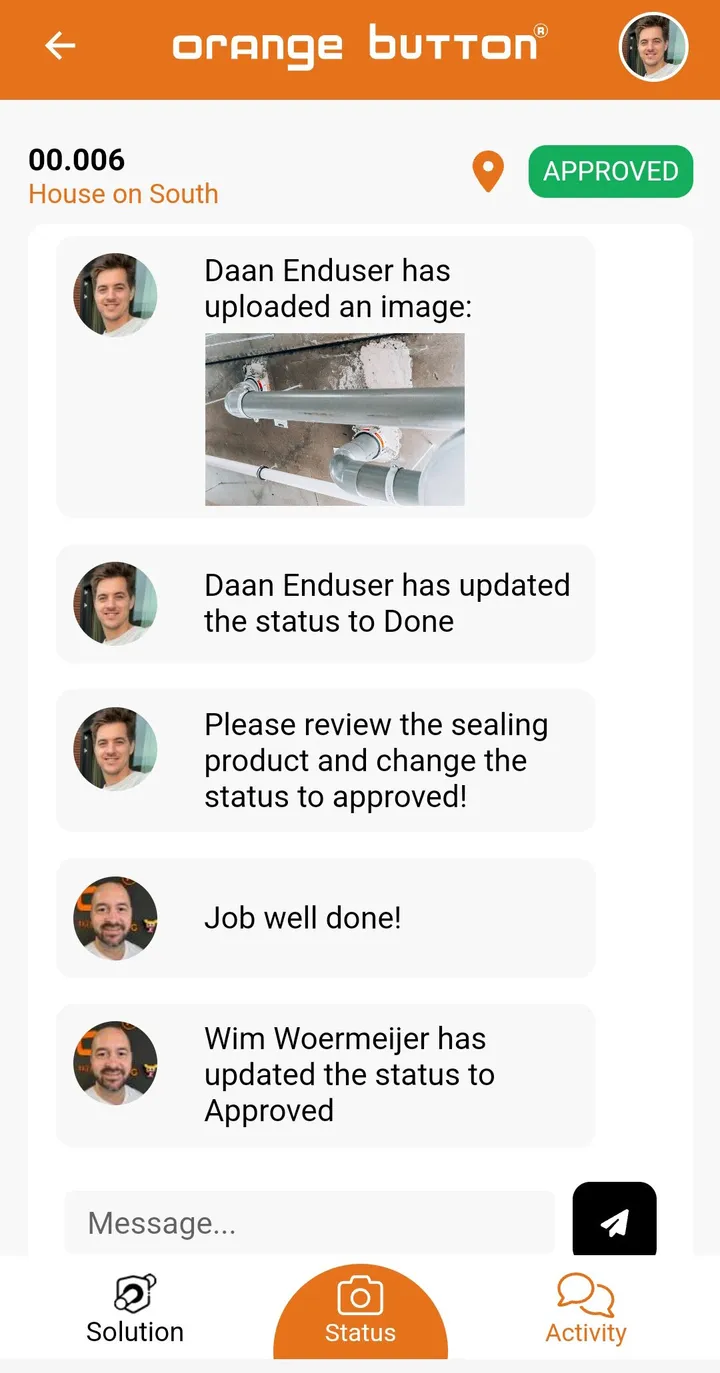
Document it, get it approved
Photos, status updates and comments land in one feed. The office reviews and approves, and every seal ends up with a traceable record.
The old way and the new way
Clipboards and guesswork, or the approved design in your hand. See the difference on a real site.
Questions
What is Orange Button Field?
A mobile app that works alongside Orange Button BIM and Office. It gives site teams the layouts, installation details and compliance information they need, and lets them document their work.
What if the situation on site does not match the design?
Installers record the deviation with a photo and a comment. The office sees it immediately and can select an alternative certified solution.
Who uses Field?
Installers and site supervisors. The Field License is per user, so you only pay for the people on site.